> For the complete documentation index, see [llms.txt](https://docs.basedbot.app/llms.txt). Markdown versions of documentation pages are available by appending `.md` to page URLs; this page is available as [Markdown](https://docs.basedbot.app/web-app/webapp/trading.md).
# Trading
The trading panel is located on the right side of the token page. It supports both market and limit orders with full control over slippage, priority fees, and MEV protection.
## Buy / Sell Toggle
At the top of the panel, switch between **Buy** and **Sell** modes.
### Market Buy
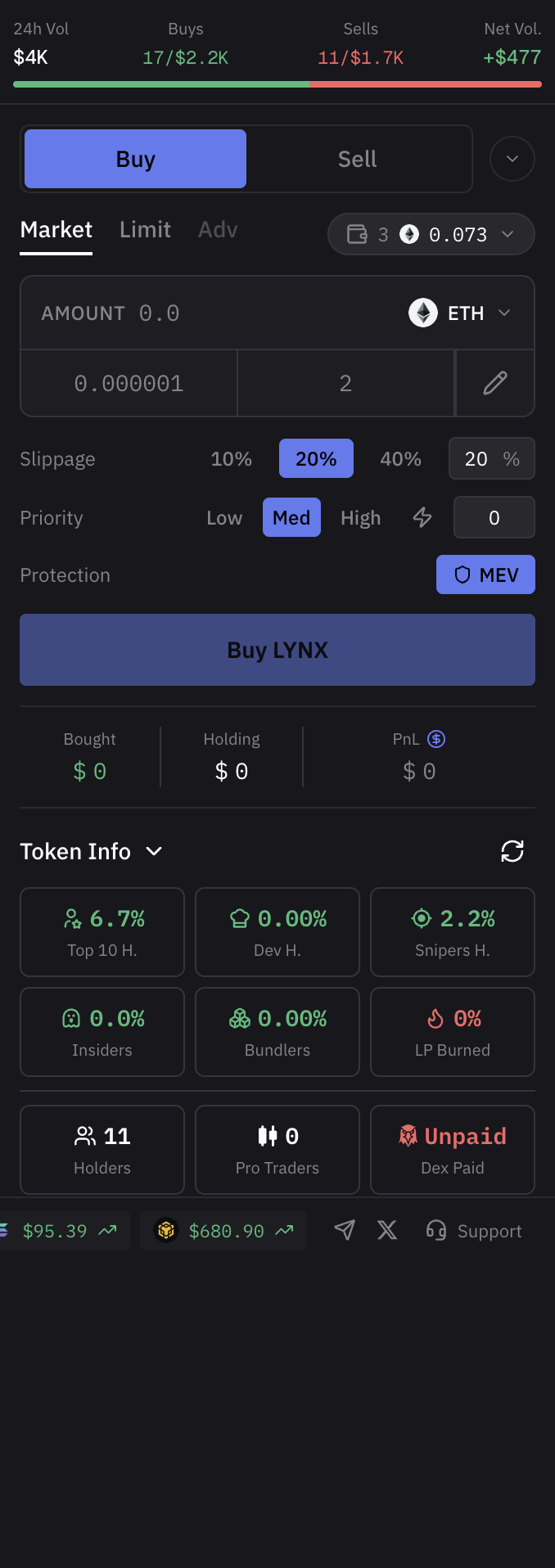
In market buy mode, you select how much to spend:
* Choose a currency: ETH, USDC, USDT (or the native token of the current chain)
* Enter a custom amount or use the preset buttons (configured in Settings)
* Click **Buy** to execute immediately at market price
Trading panel in buy mode with amount presets
### Market Sell
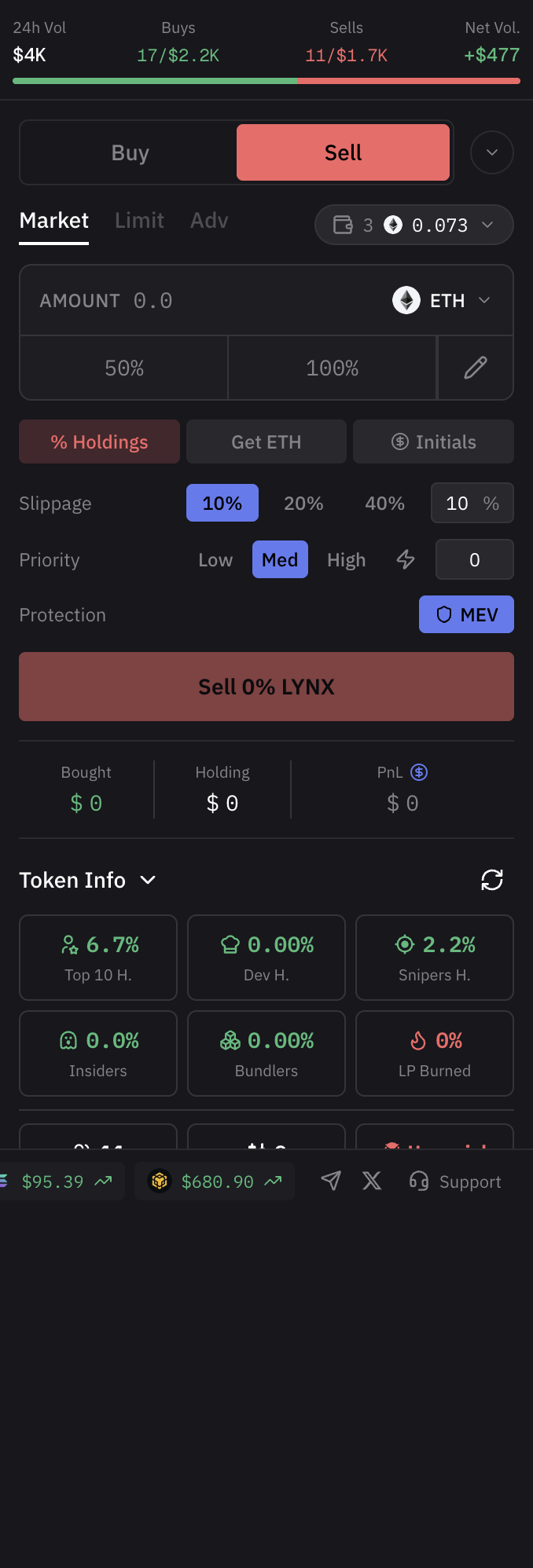
In market sell mode, you select what percentage of your holding to sell:
* Preset percentage buttons: 25%, 50%, 100%
* Or enter a custom percentage
* Click **Sell** to execute immediately at market price
Trading panel in sell mode with percentage presets
## Limit Orders
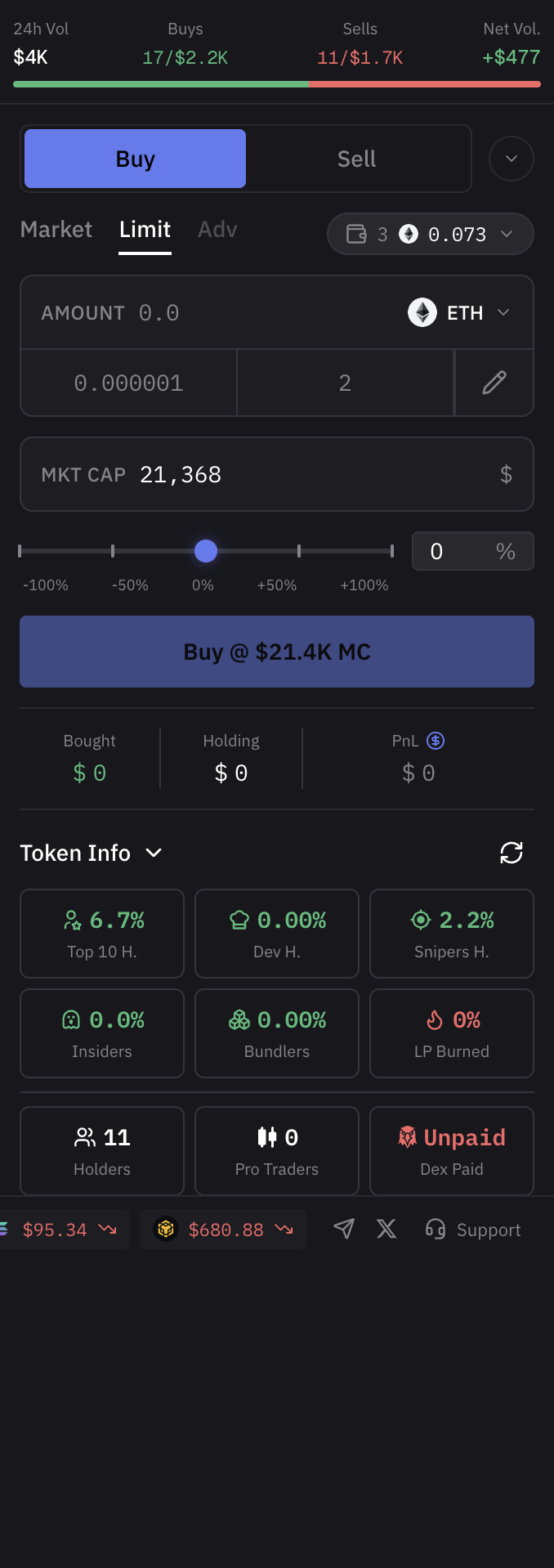
Switch to **Limit** mode to set conditional orders:
* **Target Market Cap** -- set the market cap at which your order triggers
* **Percentage Slider** -- adjust from -100% to +100% relative to current market cap
* Orders execute automatically when the target is reached
Limit order form with market cap target and percentage slider
## Trade Settings
Configure execution parameters for each trade:
| Setting | Options |
| ------------------ | -------------------------------------------------------------- |
| **Slippage** | 10%, 20%, 40%, or custom percentage |
| **Priority Fee** | Low, Medium, High, or custom gwei value |
| **MEV Protection** | Toggle on/off to protect against sandwich attacks (EVM chains) |
## Position Info
When you hold a position on the current token, the trading panel displays:
* **Bought** -- total amount spent to acquire the position
* **Current Holding** -- current token balance and its USD value
* **PnL** -- profit or loss in both absolute and percentage terms